How does our tool work?
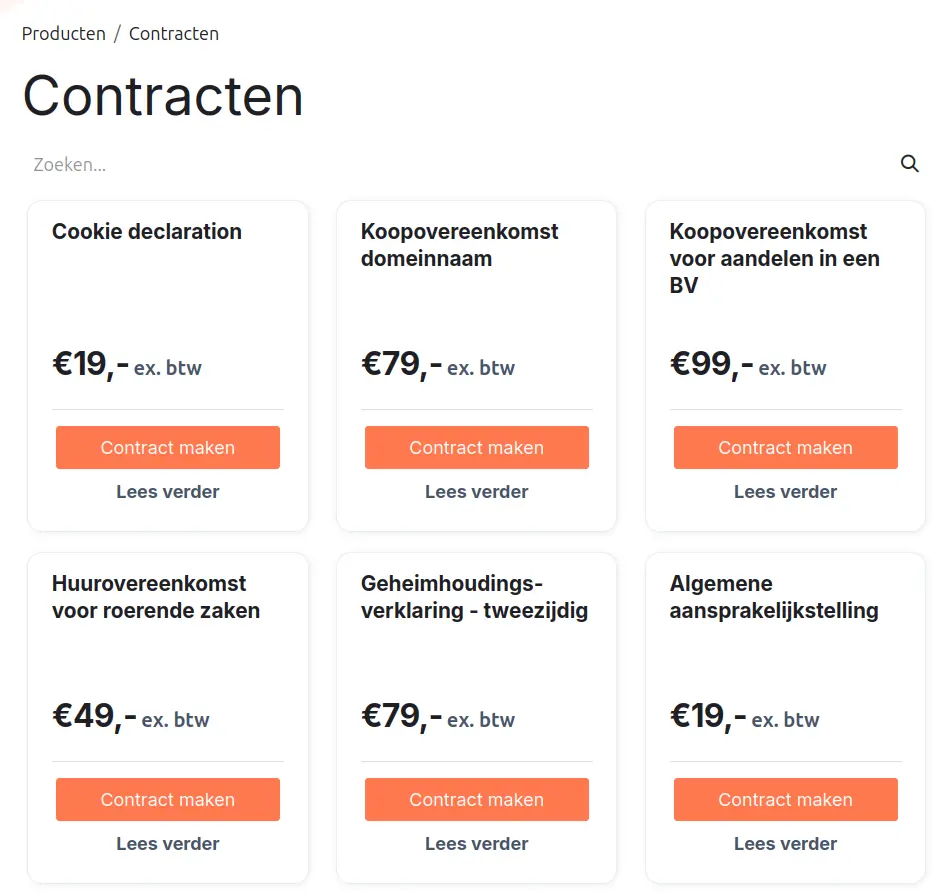
Step 1: Choose a contract.
Browse Legalflow’s contract library and select the template that fits your business situation. Each contract page explains what the contract is for, when you need it, and what it covers, so you can make an informed choice.
Step 2: Choose a subscription plan.
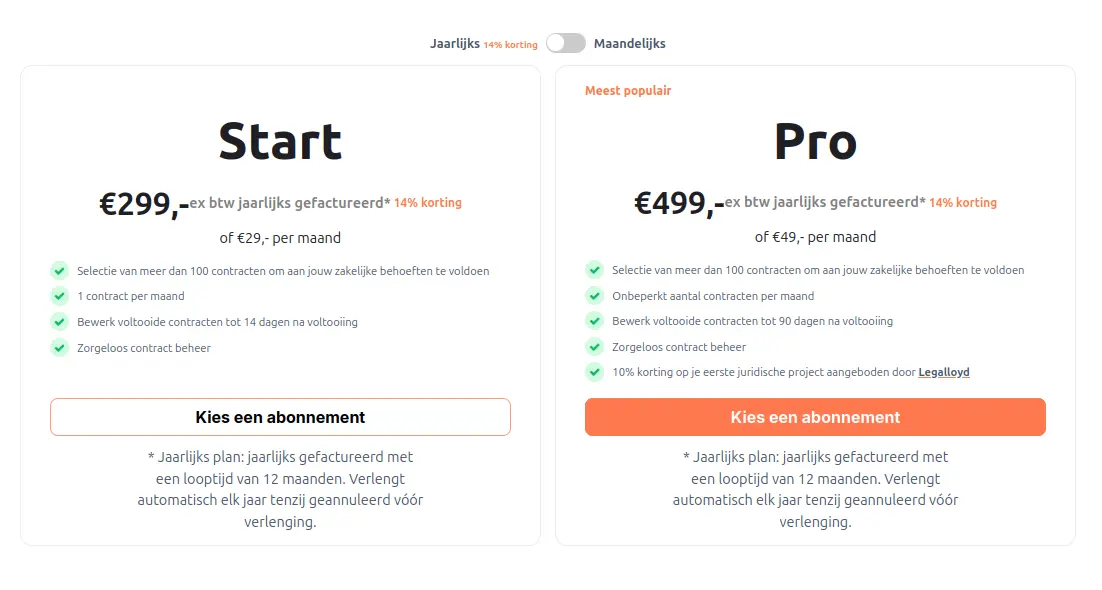
Choose the subscription plan that best matches your needs before continuing in the tool. Your chosen plan determines which features you can use. You can also use the tool without a subscription and pay for each contract separately.
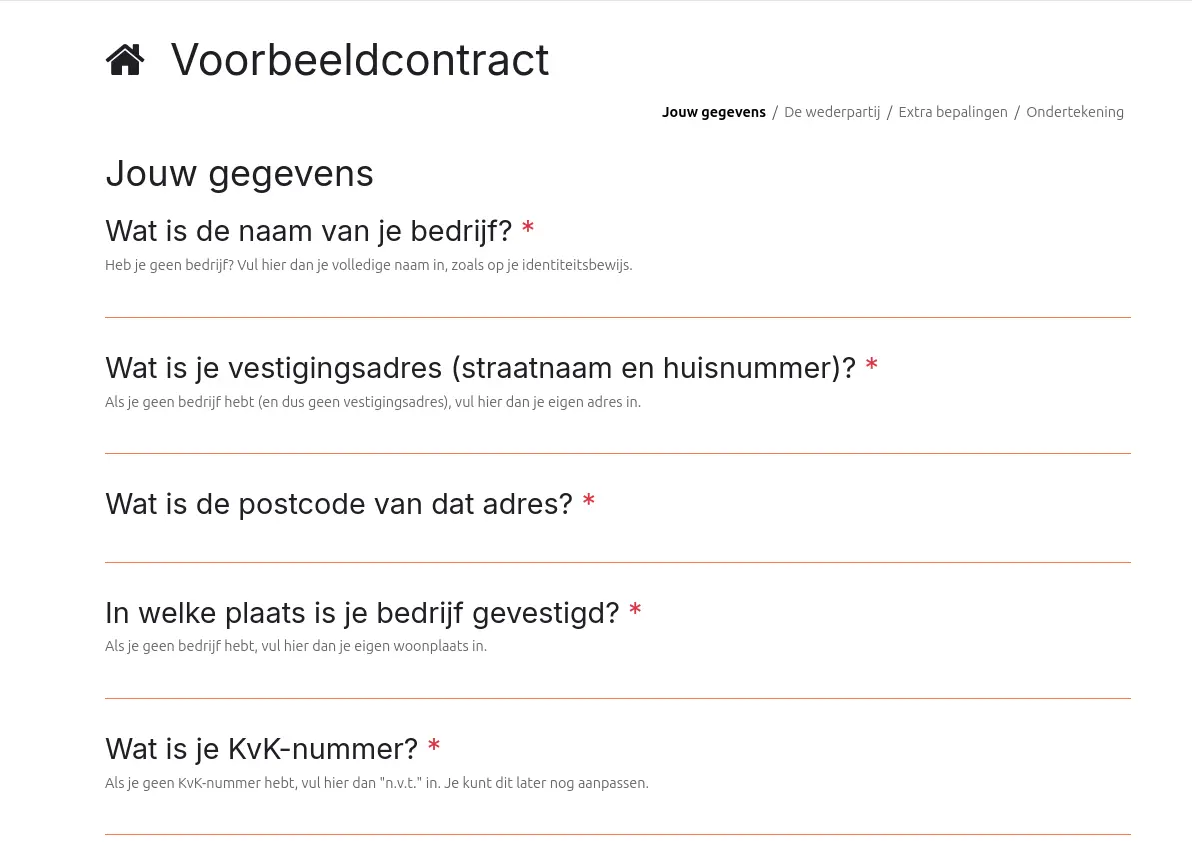
Step 3: Answer a guided questionnaire.
Once you have chosen a contract, Legalflow guides you through a contract-specific questionnaire. The questions are designed to collect the information needed to generate your document.
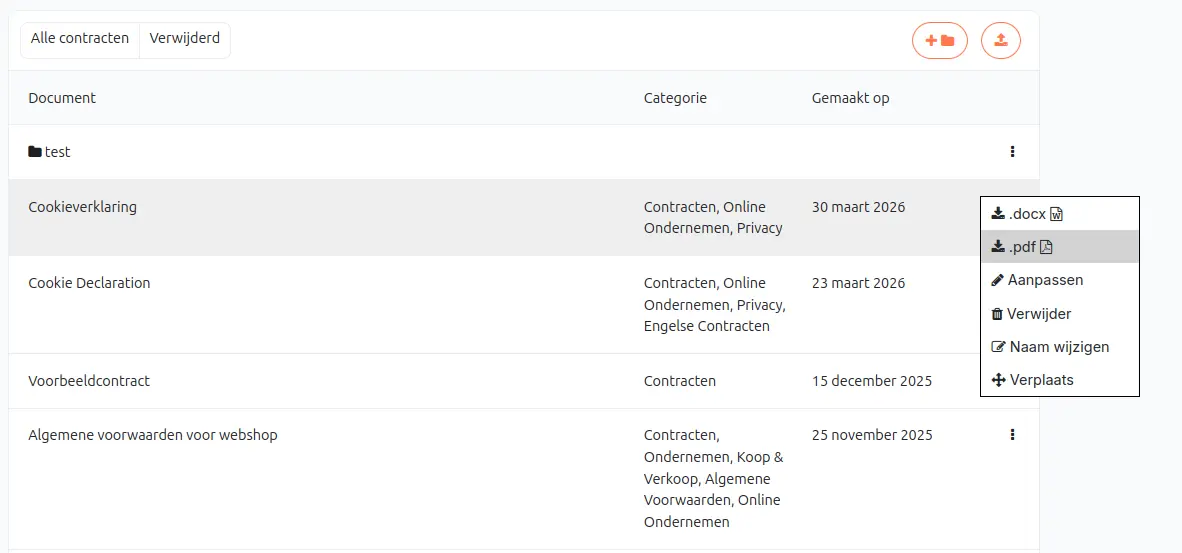
Step 4: Receive your contract instantly and manage it in your portal.
Based on your answers, Legalflow tool automatically generates your contract. You can download your contract as a Word or PDF file, making it easy to use immediately or edit the Word version if needed. Your contracts are saved in your account, helping you keep all your documents organized in one place. If you leave a questionnaire before completing it, your progress is saved, so you can return later and continue where you left off.
Available in Word and PDF

No AI hallucinations